$80 BigSur Laptop(Part 3) ,8000円のBigSurノートPC(その3), How to set DualBoot on only one SSD, 1つのSSDのみにDualBootを設定する方法
alpha
Kawaiintu (neo Moebuntu)(旧Hackintosh夢日記)
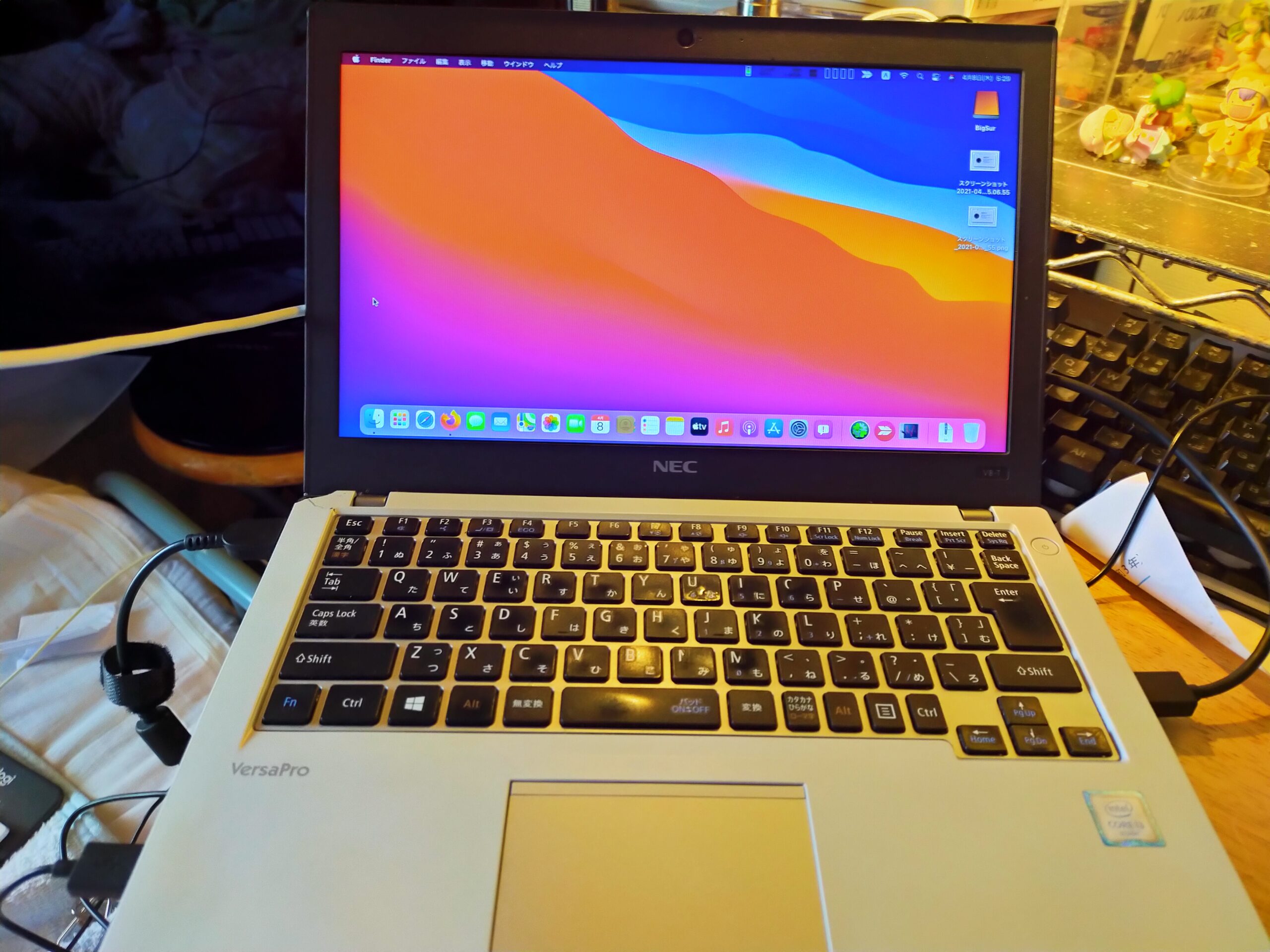
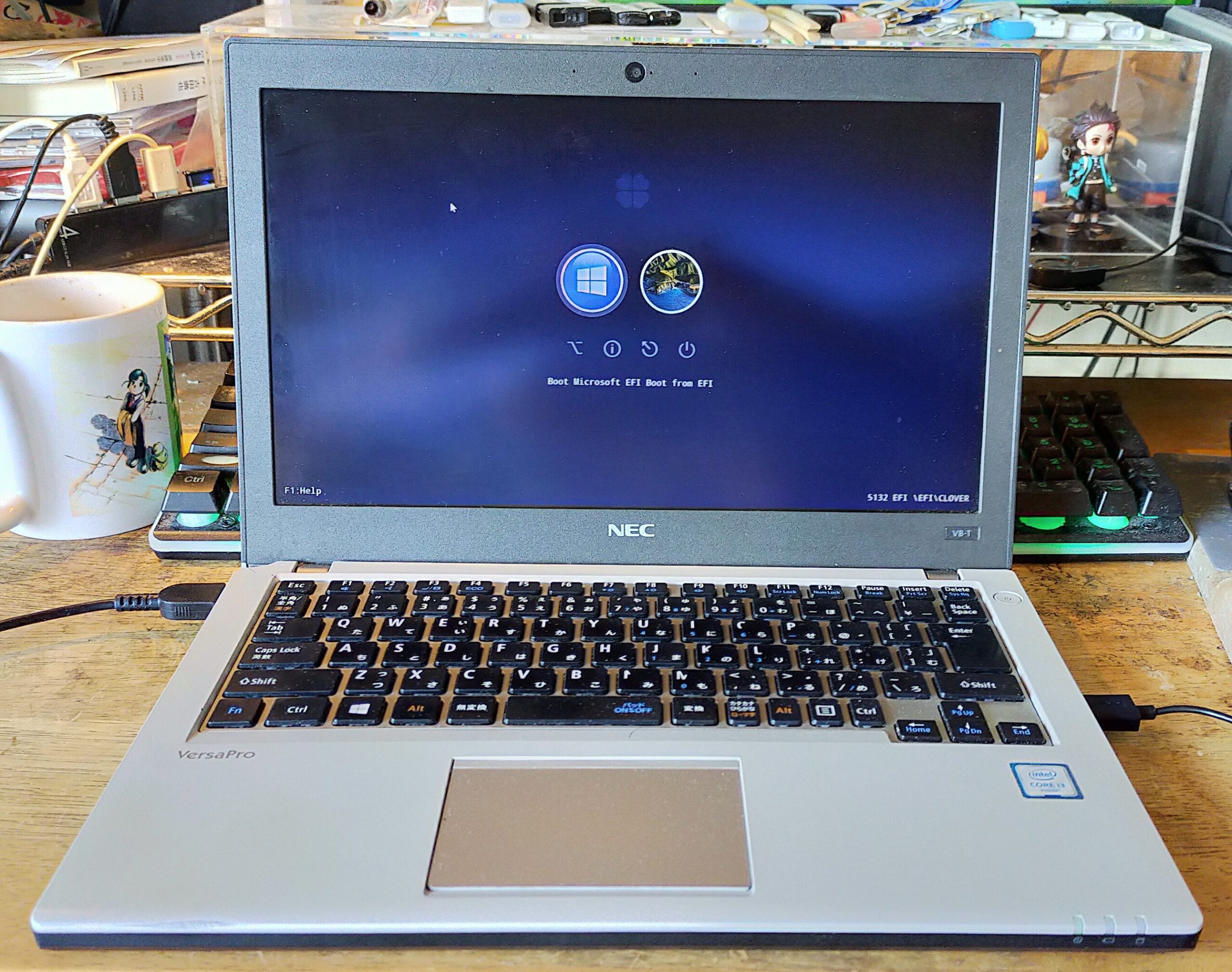
Versapro 12インチ NEC VK23VB-T(VK23LBZDT) Win10 第6世代Corei3 4G HDD 500G Bluetooth office有 中古パソコン(訳アリ品)
価格 8,789円で見つけてきました。
訳無し品だと、3倍以上のお値段。訳アリの訳は、以下の模様。
Versapro 12 inch NEC VK23VB-T(VK23LBZDT) Win10 6th generation Core i3 4G HDD 500G Bluetooth, used PC with office (scratched or damaged)
I found it at a price of 8,789 yen (about $ 80).
If the product is not scratched or damaged, the price is more than tripled. The scratches and damages are as follows.
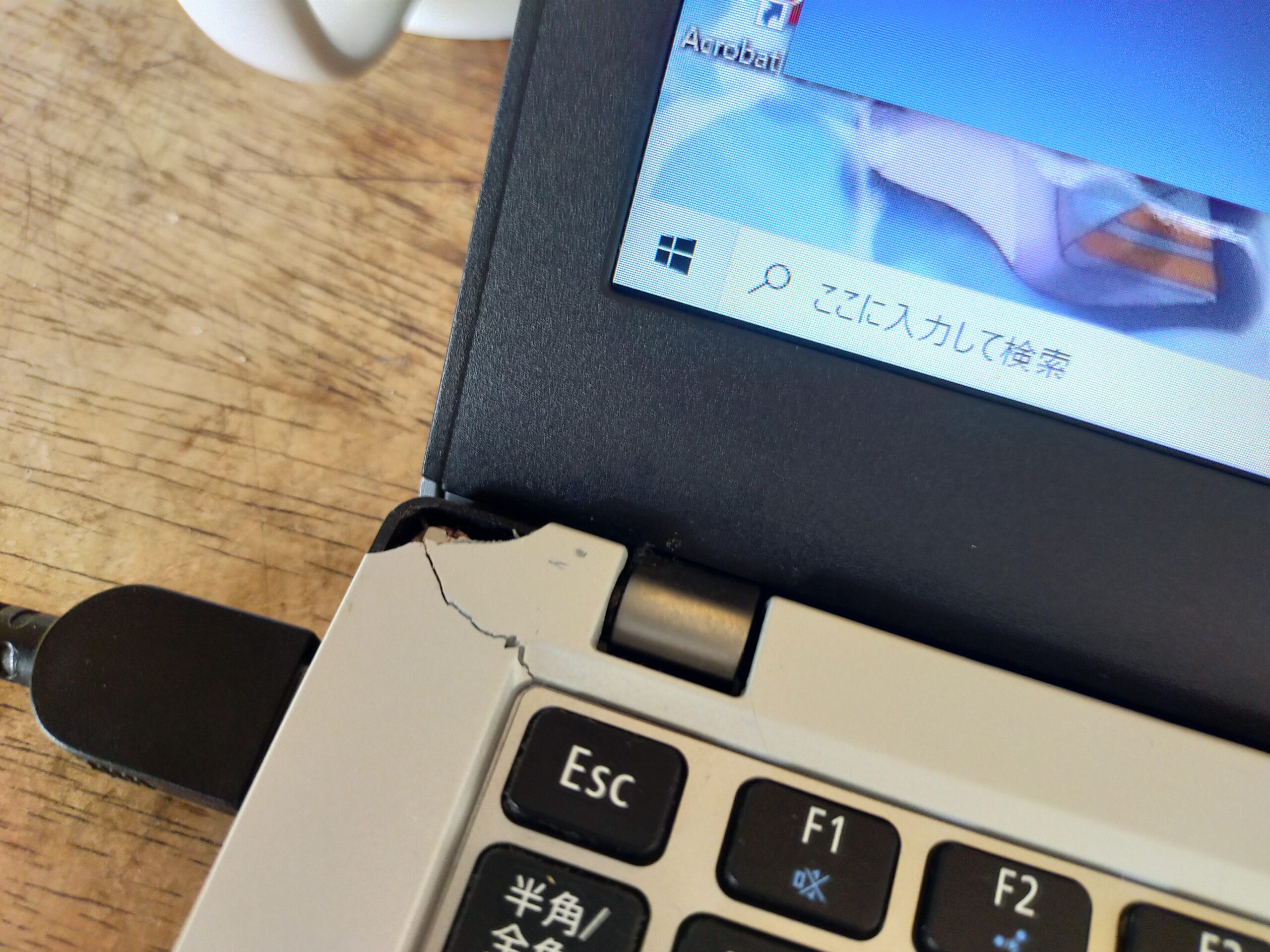
欠けがあること。There is damage as above
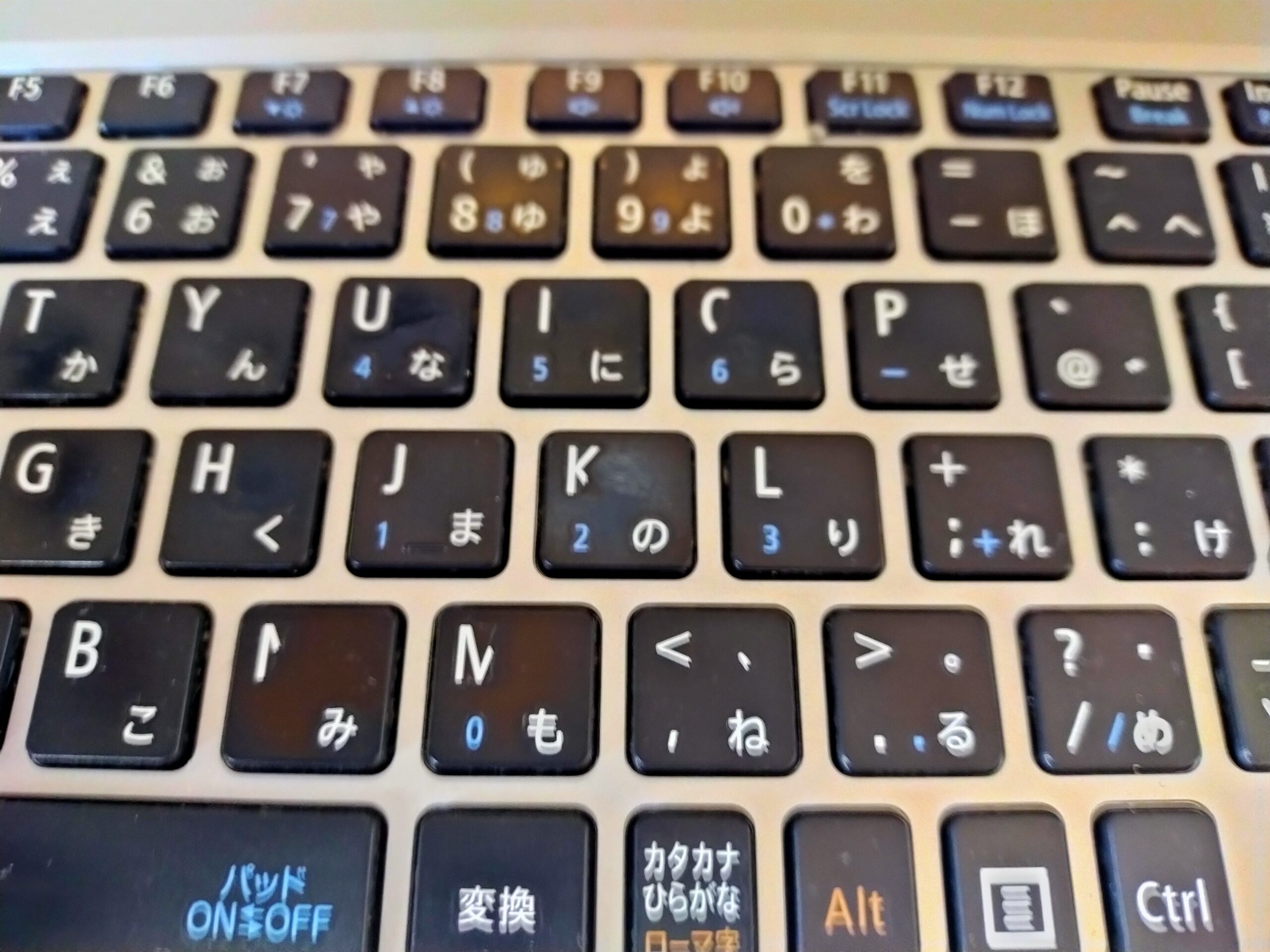
キーボードの刻字の消えが有ること。As shown in the figure above, some of the markings on the keyboard have disappeared.
他はきれいです。ただ、ACアダプターが付属してないので、Lenovoのものを見繕いました。The others are beautiful. However, I bought a product that is compatible with Lenovo and Versapro because it does not come with an AC adapter.
さて、1晩で・・・ここまできました。Well, all night long … I was able to set this Laptop as follows:
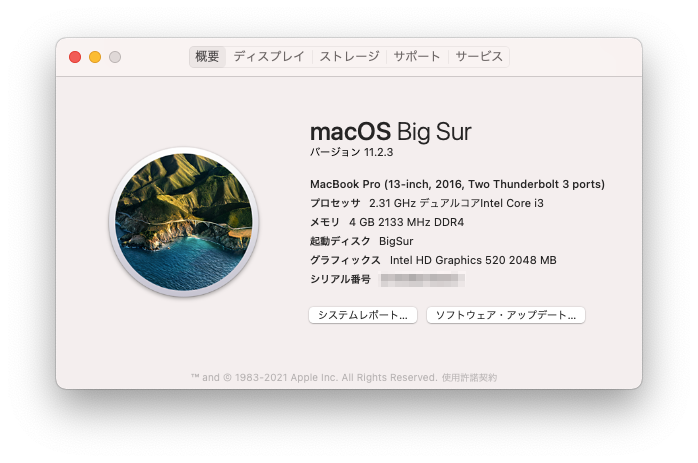
外付けのSSDをつけて、USB3.0で、USBスティックからインストール、更に、ポストインストール設定をしました。(Lenovo X260あたりが参考になりました)また、VoodooPS2Controller.kext、IntelBluetoothFirmware.kext、HibernationFixup.kext、AirportItlwm.kextは優秀ですね。
I attached an external SSD, installed it from a USB stick with USB3.0, and made post-install settings. (EFI of Lenovo X260 and T460s was helpful) Also, VoodooPS2Controller.kext, IntelBluetoothFirmware.kext, HibernationFixup.kext, AirportItlwm.kext are excellent.
Kextを入れるだけで、パッドとキーが使えますし、IntelのBluetoothもWiFiも使えます。スリープもKextを入れるだけで治りました。
Simply apply Kext and you’ll be able to use pads and keys, as well as Intel’s Bluetooth and WiFi. Just applying Kext fixed the sleep state.
バッテリー以外の項目はすべてクリア。まぁ、バッテリーはもともと持たないと思うので、あまり気にせず、ぼちぼち見ていくことにします。
All items except the battery have been cleared. By the way, I think that the battery is old and has no capacity, so I will slowly search for the setting information without worrying too much.
EFI例は以下のとおりです。(ACPIは、あまり直していません。)An example of EFI is as follows. (ACPI hasn’t been fixed much.)
versapro-i3-6100u.zip
その後、ACPIを本格的に調整することに成功し、機能のほとんどが使えるようになったので、実験機でなく、本格的に利用できるように改造しました。
After that, I succeeded in adjusting ACPI well, and it became able to use most of its functions. Therefore, I remodeled it into a laptop computer that can be used in earnest instead of an experimental machine.
関連リンク(Related Links)